



Ethernet Switch
Shenzhen Dechuangyu Technology Company :Your Professional Ethernet Switch Supplier!
Shenzhen Dechuangyu Technology Company is engaging in providing complete and high-performance fiber optic products and premise distribution solutions for customers worldwide. having its brand and specializing in R&D, manufacture, and sales of fiber optical communications equipment.
Rich Product Range
Our company can produce and sell SFP transceivers, optical transceivers, routers, WiFi range extension routers, 300Mbps wireless LTE 4G routers, 10G 40G 100G uplink layer 3 switches, etc.
Wide Range Of Uses
The products we produce can be widely used in global telecommunications companies, FTTH, electricity, hotels, hospitals, schools, governments, public places, etc.
Quality Guaranteed
Our products have passed ISO9001, FCC, CE, ROHS certification, and our products cover more than 80% of the world's countries including the domestic market, South America, Asia, Europe, and the United States. And the product warranty is 1 year, and some even last as long as 2 years.
Leading Service
We have many years of industry experience and a complete production management, quality supervision, sales service operation system. Whether you want to buy a 4G router or an optical transceiver, just send your requirements via email and we can customize the product for you.
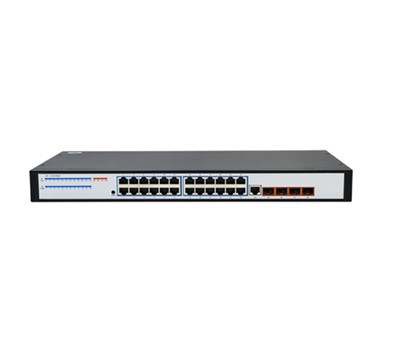

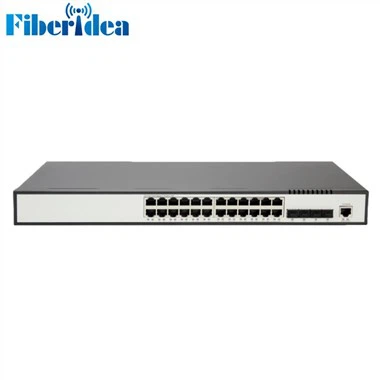
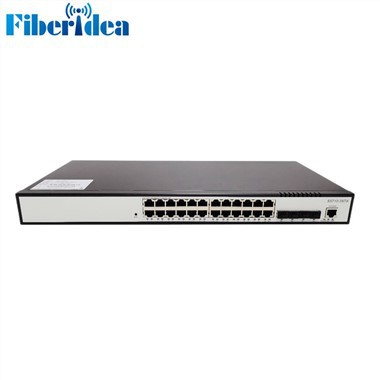
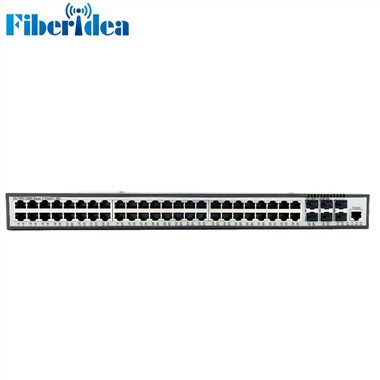
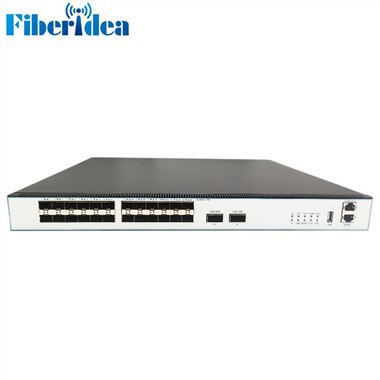
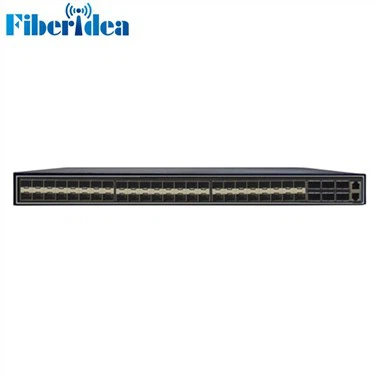
What is Ethernet Switch
An Ethernet switch is a type of network hardware that is foundational to networking and the internet. Ethernet switches connect cabled devices, like computers, Wi-Fi access points, PoE lighting and IoT devices, and servers, in an Ethernet LAN so they can communicate with each other and to the internet.
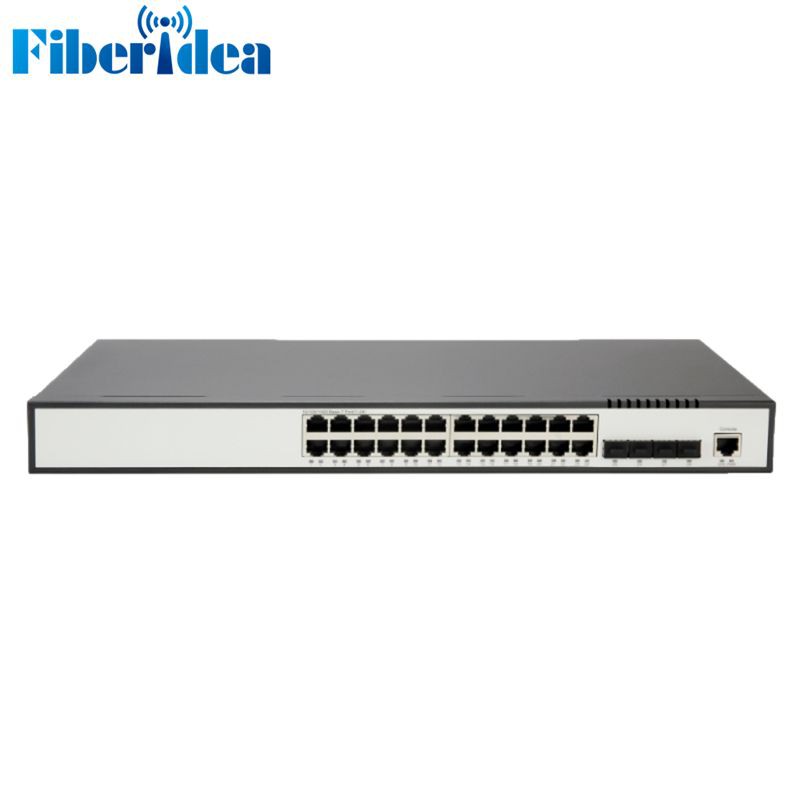
Features of Ethernet Switch
Packet Switching
Unlike old network hubs that simply broadcast data to all connected devices, Ethernet switches intelligently route data only to the intended recipients, optimizing bandwidth and reducing network congestion.
Packet For Warding
The switch intelligently forwards packets based on MAC address, directing traffic only to the intended receiving device. This improves bandwidth utilization and reduces network congestion compared to older network devices such as hubs that broadcast data to all connected devices.
Enhanced Security
Ethernet switches offer various security features such as MAC address filtering, port security, and VLANs to control access and prevent unauthorized intrusions and network attacks. VLANs, in particular, can isolate traffic between different network segments, thereby enhancing network security.
Scalability
Ethernet switches are highly scalable, allowing the network to adapt to growth and changes in network needs. They support additional devices and higher bandwidth needs, making them suitable for both small and large networks.
Bandwidth Optimization
By directing traffic only where it is needed, switches optimize bandwidth usage within the network. They support full-duplex communications, allowing devices to send and receive data simultaneously, improving overall network performance.
Types of Ethernet Switch
Modular Switches
Modular switches let you add expansion modules as needed, giving you flexibility as network requirements change. Expansion modules are application-specific and include those for firewalls, wireless connectivity, or network analysis. They may also allow for additional interfaces, power supplies, or cooling fans. This type of switch provides you with the most flexibility, but at a higher cost.
Fixed-Configuration Switches
Fixed-configuration switches provide a fixed number of ports and are typically not expandable, which makes them less expensive overall. Fixed-configuration switches include unmanaged switches, smart switches, and managed switches.
Unmanaged Switches
Unmanaged switches are typically used to provide basic connectivity. They're designed to be plug and play; no configuration is needed. Unmanaged switches are most effective when only basic switching and connectivity are required. You will often see them in home networks or wherever only a few ports are needed, such as at a desk, in a lab, or in a conference room.

Parts of Ethernet Switch
CPU
The CPU in the switch is accountable for handling all of the fundamental instructions on the device. The CPU is similar to how your mind is responsible for transmitting signals through your body to perform different things. Similarly, the CPU works like the brain of the Ethernet switch.
Replication Engine
The replication engine within an Ethernet switch is tasked with duplicating data packets & transmitting them to their selected destinations. In present organizations, it is becoming more common for only a data packet to be sent to several destinations within a network.
Switch Fabric
Basically, the switch fabric includes hardware & software which contain the switching units enclosed in a network node & the software is necessary to control the switching lanes. The switch fabric is utilized as a metaphor to explain the relationship between the switching paths & ports.
Combo Port
A Combo port is a compound port and it supports two dissimilar physical ports through similar port numbers & switches fabric although both the ports cannot be utilized at the same time. This port is very helpful in configuring the switch based on the requirements of the application.
Stack Port
This is one kind of special port, used for connecting by another same model, software version, and brand stackable switches to operate as a single stackable switch through port capacity equivalent to the amount of the combined switches. This port is helpful in making very long-distance connections.
PoE Port
In PoE port, the term PoE stands for Power over Ethernet. This port simply permits a single network cable for carrying power & data simultaneously. This port is used in different devices like IP security cameras or wireless network repeaters which utilize a single Ethernet cable for data, voice & power.
How to Choose Ethernet Switch
The first step in ensuring your switch can meet the rigors of the production environment in your facility is to match your switch’s environmental specifications with those from the other automation equipment already in your facility. Read and compare specifications for temperature, moisture, humidity, shock and vibration and noise immunity. Because equipment needs to survive for this length of time, you should avoid fans and also pay special attention to your power supplies as well.
Your choice of switch depends on its role and position in your network infrastructure. By infrastructure, we mean a well-designed network with a hierarchy of switches. If your network grew without a plan by simply adding devices and connecting one switch to the next, then you should strongly consider updating its design to be a hierarchical infrastructure.
Once you know your switch’s role, count the number of things you’ll connect to that switch (and at what speed) to ensure you pick a switch that matches your needs. Be sure to consider expansion by allowing for a few extra ports. Also note that ports rated for higher speeds can also communicate at slower speeds if needed, so a 1G port can also communicate at 100M or 10M.
Some industrial Ethernet switches are called “unmanaged” switches. The advantages to these switches are that they are relatively low cost and require no setup. The disadvantage is that they provide no status and make it difficult to troubleshoot the network if and when there are problems.
How to Use Ethernet Switch
Physical Connection
Connect the Ethernet cables from your network devices (such as computers, routers, printers, etc.) to the ports on the switch. Make sure you use Category 5e (Cat5e), Category 6 (Cat6), or higher quality cables for reliable performance.
Power Up
Once all devices are connected, power up the switch by plugging it into a surge-protected power outlet.
Initialization
The switch will initialize and start broadcasting signals to detect connected devices. Most switches do not require additional configuration out of the box.
Assign IP Addresses
If you're using DHCP (Dynamic Host Configuration Protocol) on your network, your router will automatically assign IP addresses to the connected devices. If you're setting up a static IP address, you'll need to configure this on each device manually.
Testing Connectivity
To test if the devices are communicating through the switch, try pinging one computer from another. You can do this by opening the Command Prompt or Terminal on each computer and entering ping [other computer's IP address]. If the ping is successful, data packets are being transmitted through the switch.
Troubleshooting
If ping tests fail, check the physical connections first, ensuring all cables are securely attached and not damaged. Verify that the IP settings on each device are configured correctly, and ensure that the switch itself is functioning properly.
Advanced Configuration
Some switches offer advanced features like VLANs (Virtual Local Area Networks), Quality of Service (QoS), port security, and more. These features can be configured through a web interface or command-line interface, depending on the model and manufacturer of the switch. Refer to the switch's manual for instructions on how to access and configure these features.
Four Switch Options to Remember For Ethernet Switches
Switch Speeds
Switches are available in different throughputs or speeds, the rate they transmit data in megabits per second (Mbps). For example, fixed-configuration switches can provide Fast Ethernet (10/100 Mbps), Gigabit Ethernet (10/100/1000 Mbps), Ten Gigabit (10/100/1000/10000 Mbps), and even 40/100 Gbps (gigabits per second) speeds. The switch speed you choose depends on the type of throughput you need. If, for example, you need to move large data files on a regular basis, you should consider a Gigabit Ethernet switch.
Number of Ports
As is the case with switch speed, the number of ports available in a switch can vary. The bigger your small business and the more network users you have, the more ports you'll need. Fixed-configuration switches are usually available with five, eight, 10, 16, 24, 28, 48, or 52 ports.
Power Over Ethernet (PoE) vs. Non-PoE
PoE lets you power a device—such as an IP phone, surveillance camera, or wireless access point—over the cable that is used for data traffic. This allows you to place endpoints anywhere, even in those areas that are usually difficult to reach. Switches with PoE are more expensive, however. As you evaluate your options, think about the devices you would like to connect to determine whether PoE is required.
Stackable vs. Standalone Switches
As your business (and your network) grows, you will likely need to support more and more devices, which will mean investing in more switches. Just as its name implies, a standalone switch is managed and configured as an individual entity with limited capacity. If there is a problem, troubleshooting is also switch specific.
Applications of Ethernet Switches
Local Area Networks (LANs)
In businesses and homes, Ethernet switches form the backbone of LANs, connecting computers, printers, servers, and other networked devices within a building or a campus.
Data Centers
Switches are critical in data centers for managing traffic between servers, storage systems, and routers. They enable high-speed data transfer and support redundancy to ensure reliability.
Smart Homes
In smart home automation, Ethernet switches provide wired connections for smart devices like security cameras, thermostats, and media centers, ensuring a stable and secure network environment.
Industrial Automation
Ethernet switches are used in industrial settings to connect machinery, robots, sensors, and control systems, facilitating real-time data exchange for process automation.
Internet of Things (IoT)
Switches play a crucial role in IoT infrastructure by connecting a vast array of sensors, actuators, and devices, enabling them to collect and share data.
Gaming
For online gaming, Ethernet switches offer a reliable connection with lower latency compared to Wi-Fi, which is essential for competitive gaming.
Certificate


Frequently Asked Questions