



EPON OLT
Shenzhen Dechuangyu Technology Company :Your Professional EPON OLT Supplier!
Shenzhen Dechuangyu Technology Company is engaging in providing complete and high-performance fiber optic products and premise distribution solutions for customers worldwide. having its brand and specializing in R&D, manufacture, and sales of fiber optical communications equipment.
Rich Product Range
Our company can produce and sell SFP transceivers, optical transceivers, routers, WiFi range extension routers, 300Mbps wireless LTE 4G routers, 10G 40G 100G uplink layer 3 switches, etc.
Wide Range Of Uses
The products we produce can be widely used in global telecommunications companies, FTTH, electricity, hotels, hospitals, schools, governments, public places, etc.
Quality Guaranteed
Our products have passed ISO9001, FCC, CE, ROHS certification, and our products cover more than 80% of the world's countries including the domestic market, South America, Asia, Europe, and the United States. And the product warranty is 1 year, and some even last as long as 2 years.
Leading Service
We have many years of industry experience and a complete production management, quality supervision, sales service operation system. Whether you want to buy a 4G router or an optical transceiver, just send your requirements via email and we can customize the product for you.

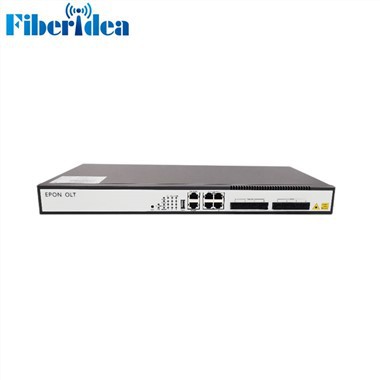
What is EPON OLT
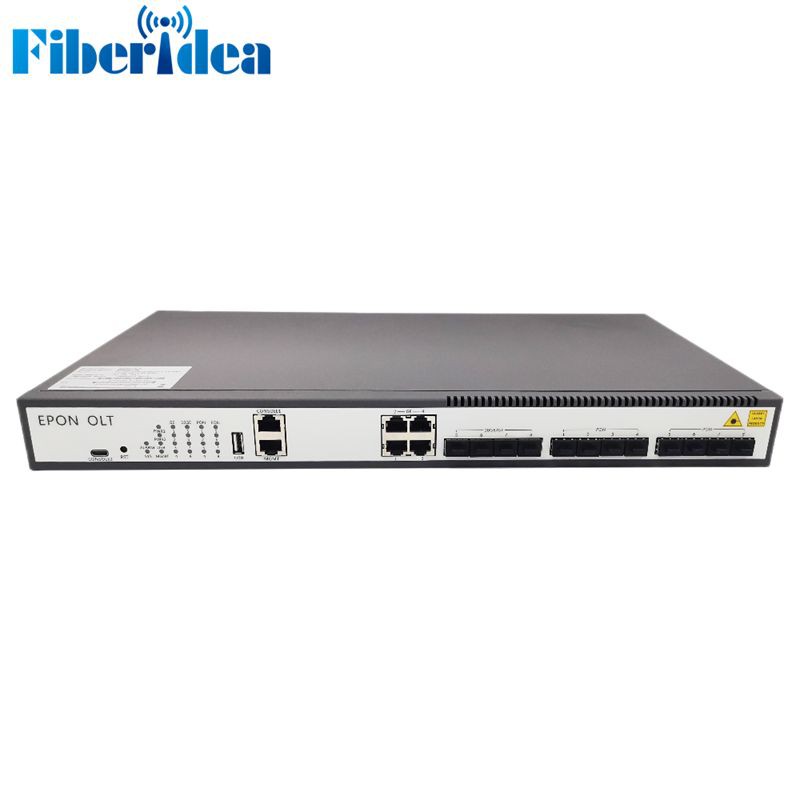
EPON OLT is a device that acts as the service provider endpoint of a passive optical network. It means that the optical line terminal (OLT) supports Ethernet Passive Optical Network (EPON) which is a kind of technology providing multiple services by adopting point-to-multipoint passive optical transmission.
Features of EPON OLT
Reliable
The signal does not pass through active electronic devices in the PON transmission process, which can reduce potential points of failure; the use of passive devices can simplify the network hierarchy, and the flat network structure is easier to maintain and manage.
Long Distance
The transmission distance of PIN is 10-20km, which completely overcomes the limitations of distance and bandwidth of Ethernet and xDSL access methods, and can greatly increase the flexibility of user access schemes.
Flexible
The PON networking model is not restricted, and it can flexibly build a tree-shaped and star-shaped topology network; it is especially suitable for occasions where user access information points are scattered, and a main optical fiber can be used to meet all user access information points.
Multipurpose
PON is a natural broadcasting network. It adopts single fiber wavelength division multiplexing technology, which can superimpose the cable TV signal into the PON network for transmission at the OLT end, and finally separate it at the user end through a splitter, which can transmit data or cable TV signal.
QoS (Quality of Service) Engine
The QoS engine enforces Quality of Service policies within the EPON network. It ensures that different types of traffic (e.g., voice, video, data) receive the appropriate level of priority and bandwidth to maintain service quality.
Subscriber Management
The OLT manages subscriber authentication and authorization, ensuring only authorized ONUs/ONTs can access the network. It tracks subscriber data usage and enforces service-level agreements (SLAs).
Forwarding Engine
The forwarding engine handles the routing and forwarding of data traffic between the Ethernet network and the optical network. It ensures that data packets are correctly directed to their destinations.
Network Management Interface
This interface allows network administrators to configure, monitor, and manage the OLT and EPON networks. It may include a web-based graphical user interface (GUI) or command-line interface (CLI) for administrative purposes.
Parts of EPON OLT
PON Interface
The PON (Passive Optical Network) interface is where the optical fiber connections from multiple ONUs (Optical Network Units) or ONTs (Optical Network Terminals) are terminated.This interface receives optical signals from ONUs/ONTs and forwards them to the network for processing.
MAC (Media Access Control) Layer
The MAC layer manages the data link layer functions of the EPON network.It handles Ethernet frame encapsulation and manages the data flow between the OLT and ONUs/ONTs.
DBA (Dynamic Bandwidth Allocation)
DBA is an important component that dynamically allocates bandwidth to ONUs/ONTs based on their traffic needs.It ensures efficient utilization of the available bandwidth by allocating resources in real-time as demand fluctuates.
OMCI (ONT Management and Control Interface)
OMCI is a protocol used to manage and control ONUs/ONTs connected to the OLT. It allows the OLT to configure and manage the ONUs/ONTs, update firmware, and monitor their status.
Functions of EPON OLT
Subscriber Management
One of the primary functions of an EPON OLT is subscriber management. It authenticates and authorizes subscribers, ensuring only authorized users can access the network. This security feature protects the network from unauthorized access and potential threats.
Traffic Management
EPON OLTs manage traffic within the network efficiently. They prioritize traffic based on Quality of Service (QoS) parameters, ensuring that critical data, such as voice and video streams, receive higher priority to maintain a smooth user experience.
Fault Detection and Reporting
EPON OLTs continuously monitor the network for faults and anomalies. When an issue is detected, they can quickly report it to network administrators, allowing for rapid troubleshooting and minimizing downtime.
Bandwidth Allocation
EPON OLTs allocate bandwidth dynamically to subscribers based on their needs. This ensures that bandwidth is distributed fairly among users and that no single subscriber can monopolize the available resources.
Management and Configuration
EPON OLTs provide a management interface that allows network administrators to configure and monitor the OLT and associated ONUs. This interface enables fine-grained control over the network's settings and performance.
How to Choose EPON OLT
Capacity and Scalability
Determine the number of subscribers you plan to serve. and Assess the expected growth of your network over time.
Port Density
Calculate the number of subscribers per port based on your deployment strategy. Opt for OLT models with a port density that aligns with your requirements while considering available rack space.
Redundancy and Reliability
Look for OLTs that support hardware redundancy, including power supplies and line cards. Implement redundancy to minimize service interruptions in case of hardware failures.
Management and Control Features
Choose an OLT with a user-friendly provisioning, monitoring, and maintenance management interface. Consider OLTs that support industry-standard management protocols like SNMP (Simple Network Management Protocol).
Compatibility and Interoperability
Verify compatibility with EPON standards (e.g., IEEE 802.3ah). Ensure interoperability with a wide range of EPON Customer Premises Equipment (CPE) devices.
Security Features
Look for OLTs with built-in security mechanisms such as access control lists (ACLs), encryption, and authentication. Implement security best practices to safeguard against unauthorized access and cyber threats.
Vendor Reputation and Support
Research vendor reviews and customer feedback. Evaluate the availability of technical support and maintenance services.
Budget Considerations
Balance your requirements with your budget,and Compare OLT prices, considering not only the initial investment but also long-term operational costs.
Rack Preparation
If you're using a rack-mounted OLT, prepare the rack according to the manufacturer's specifications. This may involve installing rack ears or brackets onto the OLT and securing it to the rack using appropriate hardware.
Power Supply
Connect the OLT to a reliable and stable power source. Make sure that the power supply voltage matches the requirements of the OLT and that the outlet is properly grounded. Some OLTs have internal power supplies, while others require external power supplies.
Network Connections
Establish network connectivity by connecting the OLT to your upstream internet service provider or core network. This is typically done through Ethernet cables or fiber optic cables, depending on the infrastructure available. Ensure all cables are properly terminated and secured.
Optical Fiber Connection
Connect the downstream optical fibers from the splitters to the OLT's SFP (Small Form-factor Pluggable) ports. Make sure the connection is clean and that the fiber ends are not scratched or dirty. Use proper connectors and follow the OLT manufacturer’s recommendations for fiber management.
Configuration
Configure the OLT according to the network design. This includes setting up the PON profile, configuring ONUs (Optical Network Units), and any other relevant parameters such as VLANs, QoS (Quality of Service), and security settings. The configuration can typically be done through a web interface or command-line interface provided by the OLT vendor.
Testing
After installation and configuration, perform tests to ensure that the OLT is functioning correctly. This includes testing the optical signal levels, checking the network connectivity, and verifying that the OLT can communicate with the ONUs.
Commissioning
Once testing is complete and the OLT is confirmed to be operating correctly, the system can be commissioned. This usually involves final checks and may include training for operational staff on the use and maintenance of the new OLT system.
How to Maintain EPON OLT
Regular Monitoring
Keep a close eye on the OLT's performance metrics, such as optical power levels, temperature, CPU usage, memory usage, and traffic statistics. Use the management software provided by the OLT manufacturer to monitor these parameters and set up alerts for any anomalies.
Preventive Maintenance
Schedule regular preventive maintenance checks to inspect the physical condition of the OLT, including the cooling fans, power supply, and optical connectors. Clean the optical connectors with a fiber optic cleaner to remove dust and dirt, which can degrade signal quality.
Backup Configuration
Regularly back up the OLT's configuration settings to prevent data loss in case of a system failure or accidental configuration changes.
Power Supply Checks
Ensure that the OLT is connected to a reliable power source and has an uninterruptible power supply (UPS) to protect against power outages. Check the UPS regularly to ensure it is functioning correctly.
Cable Management
Organize and secure all cables connected to the OLT to prevent accidental disconnections and to improve airflow around the equipment.
Troubleshooting
Develop a troubleshooting guide for common issues that may arise with the OLT. This guide should include step-by-step instructions for diagnosing and resolving problems.
Certificate


Frequently Asked Questions